 |
 |
 |
 |
 |
|
|
|
||||||||||||
| |||||||||


Description Accessories Files FAQs
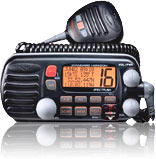

SPECTRUM+ GX2355S (Discontinued)
Most innovative 25W VHF available!
Digital selective calling
DSC Position polling
GPS repeatabilty
20W Public Address with fog signalling and bells and whistles
Optional RAM Microphone for second station operation
NOAA Weather Alert
Channel names

DSC (DIGITAL SELECTIVE CALLING) CAPABILITIES The most important reason to have a VHF radio on board you vessel is safety. The U.S. Coast Guard will soon have national coverage for DSC reception. The SPECTRUM+ features the official U.S. Coast Guard recognized version of this technology. In an emergency the SPECTRUM+ is capable of sending an automated, unattended, continuous, digital MAYDAY message that includes current vessel position time/day and a FCC assigend vessel identification. By design, the DSC MAYDAY will be digitally received by the Coast Guard, all commercial vessels and any other vessel equipped with a DSC radio. This digital safety feature insures prompt assistanvce eliminating critical mistakes in MAYDAY transmissions that occur when operators are under stress. To increase your sense of security the SPECTRUM+ also receives digital acknowlegements alerting the radio operator that the vessels distress call has been received. Of course the DISTRESS Key is properly protected with a cover to reduce the possibility of an unintentional activation.DSC POSITION POLLING
In addition to transmitting a DSC Distress call the INTREPID+ can show a vessel in distress when a DSC distress is receieved simply by connecting any STANDARD HORIZON GPS Chart plotter to the INTREPID+. This allows you to exactly see and navigate to the vessel in distress.
Also, SPECTRUM+ allows the user to exchange position data with a fellow
cruiser or fisherman with its POSITION REQUEST or POSITION SEND
functions. When connected to a STANDARD HORIZON GPS Chart Plotter, these positions are actually shown on the display. Should it become necessary to notify all of the vessels of a commercial fleet or towing service, the GROUP CALL feature makes it simple.DSC Position PollingGPS REPEATABILITY
Advancements in DSC have made it possible to poll the location of another vessel and show the position of that vessel on the display of the SPECTRUM+. Standard Horizon has taken this feature one step further, if any Standard Horizon GPS is connected to the SPECTRUM+ the polled position of the vessel is shown on the display of the GPS chart plotter making it easy to navigate to the location of the polled vessel. This is a great feature for anyone wanting to know the position of anther vessel for example you buddy that is catching fish, or finding the location of a person you are cruising with.
DSC Position Send
The feature is similar to Position Request, however instead of requesting a position of another vessel this function allows you to send you position to another vessel. Your vessel must have an operating GPS receiver connected to send the position.
When another INTREPID+ or SPECTRUM+ equiped vessel receives your position, the transceiver outputs a the position to NMEA DSC sentence which may be used byany a Standard Horizon GPS chart plotter to show your position on the receiving transceiver.When connected to you GPS position receiver the SPECTRUM+ will display time, date, Latitude/Longitude, Speed Over Ground (SOG), and Course Over Ground (COG). Of course the time clock features an offset to compensate for local versus UTC. GPS repeatablility insures the accurate and safe transmission of your location in an emergency or when you are attempting to meet a fellow cruiser.INTEGRATED 20-WATT HAILER/PA WITH PREPROGRAMMED SIGNALSFoul weather can lead to unsafe boating conditions. The SPECTRUM+ features a built in 20-Watt Loud Hailer with 4 selectable, preprogrammed foghorn signals. In addition to broadcasting the appropriate fog signal for your vessel, the listen back feature receives and amplifies a return horn, further reducing the possiblilty of a collision. The hailer software in the SPECTRUM+ also includes a horn, siren, aground and yelp signals and bells.DUAL STATION CAPABILITY WITH OPTIONAL RAM MICThe SPECTRUM+ has the capability of being connected to a submersible full-featured Remote Access Microphone (RAM Mic). This advanced remote operates as a full-powered second station to the SPECTRUM+ at the flybridge, cockpit, tower or loaction of you choice. The RAM incoportates a remarkably large LCD with a speaker microphone that allows the user to remotely access most of the VHF functions of the SPECTRUM+. A 23-foot routing cable (extendable to 43-feet with 10-foot extension cables) and waterproof bulkhead mounting connector insure a clean professional-looking installation.PROGRAMMABLE SCAN, PRIORITY SCAN and NOAA WEATHER ALERTSPECTRUM+ highlights scanning of user selected channels or priority scanning of any channel. Additionally, SPECTRUM+ features 10 NOAA weather channels including weather alert allowing SPECTRUM+ to intercept frequency encoded regional Emergency Weather alerts. The HUGE LCD display provides visual indications for all scanning functions in a bold easy to understand flags.CLEAR VOICE NOISE CONCELLING TECHNOLOGYSPECTRUM+ features a uniquely designed waterproof microphone. Clear Voice, STANDARD HORIZON innovation, provides the clearest possible transmission, by significantly reducing wind and engine background noise. In addition to its unique noise canceling capabilities, the SPECTRUM+'s microphone features a speaker, up/down and 16/9-channel selection.BUILT BETTER, SO, IT IS BACKED BETTERThe INTREPID is covered by STANDARD HORIZON's exclusive 3-year Waterproof Warranty. If your STANDARD HORIZON radio fails for any reason, including water damage, during normal use in the first 3 years, STANDARD HORIZON will repair it without hassle or charges....period! If it fails thereafter in normal use for as long as you own it, our unique Lifetime Flat Rate Service Program will cover it. Flat rate is established at time of original purchase based upon the factories current rate. Consult STANDARD HORIZON or your dealer for details.
Model Microphones CAW23 10 RAM Mic Extension Cable (Maximum of 2 cables can be used) CMP23B RAM (Remote Access Mic) Full Second Station (Black) w/ 23 Cable CMP23W RAM (Remote Access Mic) Full Second Station (White) w/ 23 Cable Mounting Hardware CMB16 Flush Mount Kit PA Horns 220SW 4 Ohm 30W Small PA Horn

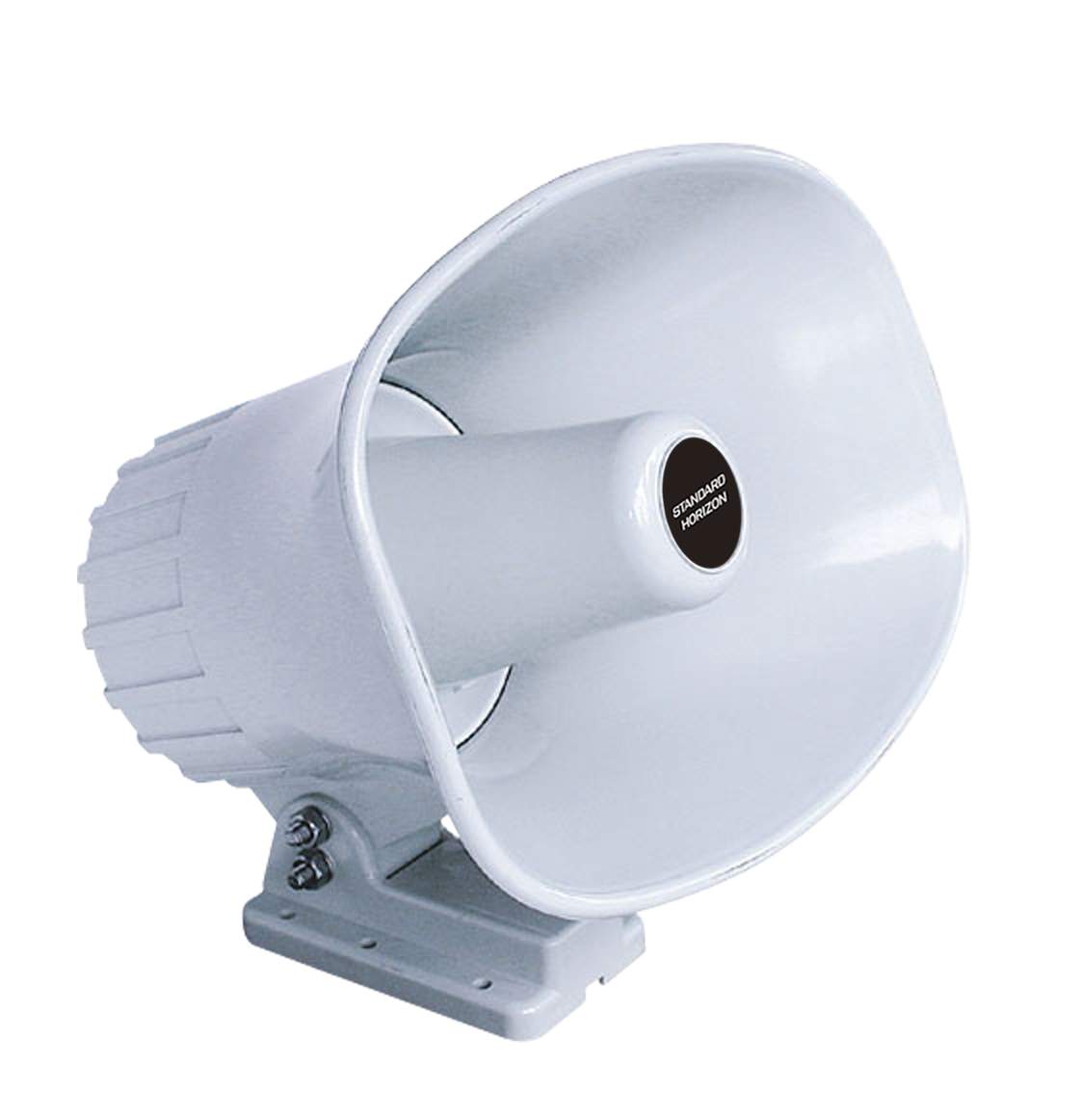
240SW 4Ohm, 30W, 5" x 7" PA Horn
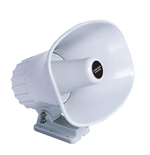
Speakers 101W Small Bracket Mount Extension Speaker (In White Only) 201SBK 5 Square Bracket Mount Extension Speaker (Black) 201SBKZ 5 Square Flush Mount Extension Speaker (Black) 201SW 5 Square Bracket M ount Extension Speaker (White) 201SWZ 5 Square Flush Mount Extension Speaker (White) Voice Scrambler CVS2500 Voice Scrambler 
Marine \ Brochures \ VHF Fixed Mount
Spectrum+ .pdf ( 740.06 KB )
Marine \ Owners Manuals \ VHF Fixed Mount
GX2355S Owners Manual ( 643.13 KB )
How do I connect my GPS to the radio?
Manufacturer/Model Wires INTREPID+/SPECTRUM+ Standard Horizon CP150/150C/160/170C/1000C Green Green Blue Gray Brown Blue Furuno GP30, 36 White Blue Blue Green Furuno GP1650, 1850 White Blue Black Green GARMIN Fixed Mounts BLUE Blue Black (ground) Green GARMIN Portables Brown Blue Black (ground) Green JRC GPS500 Yellow Blue Green Green JRC 100 SERIES Green Blue Black Green JRC 200 SERIES White Blue Black Green Lowrance Fixed Mount White Blue Black (ground) Green Lowrance Portable White Blue Black (ground) Green Magellan Fixed Mount Grey Blue Black (ground) Green Magellan Portable Orange Blue Black (ground) Green Northstar Yellow Blue Black (ground) Green Raytheon 420 Yellow Blue Brown Green Raytheon 520 / 620 Blue Blue Brown Green Raytheon RL SERIES White Blue Brown Green Simrad White Blue Brown Green Sitex Neptune, Nautilus Grey Blue Brown Green
*Note: The auto pilot sentence must be turned on to output the NMEA sentence
|
COPYRIGHT©2003-2024 Yaesu USA.
|